Lives in the menu bar or system tray
On a Mac it sits in the menu bar, on Windows in the tray next to the clock. See today's progress, your streak and words due for review in one click.
Wordbar runs quietly on your computer: in the menu bar on a Mac, in the system tray on Windows. It teaches you 5 new English words every day, quizzes you with small word cards while you work and keeps today's word on your desktop with a widget. The words stick without you having to make time for them.
One-time payment: $30, tax included. No subscription. macOS 14+ and Windows 10/11. Built for Turkish speakers.
I want to improve my English.
İngilizcemi geliştirmek istiyorum.
Two features in the latest update for Mac and Windows: a word widget that stays on your desktop and a short vocabulary quiz that opens every weekend.
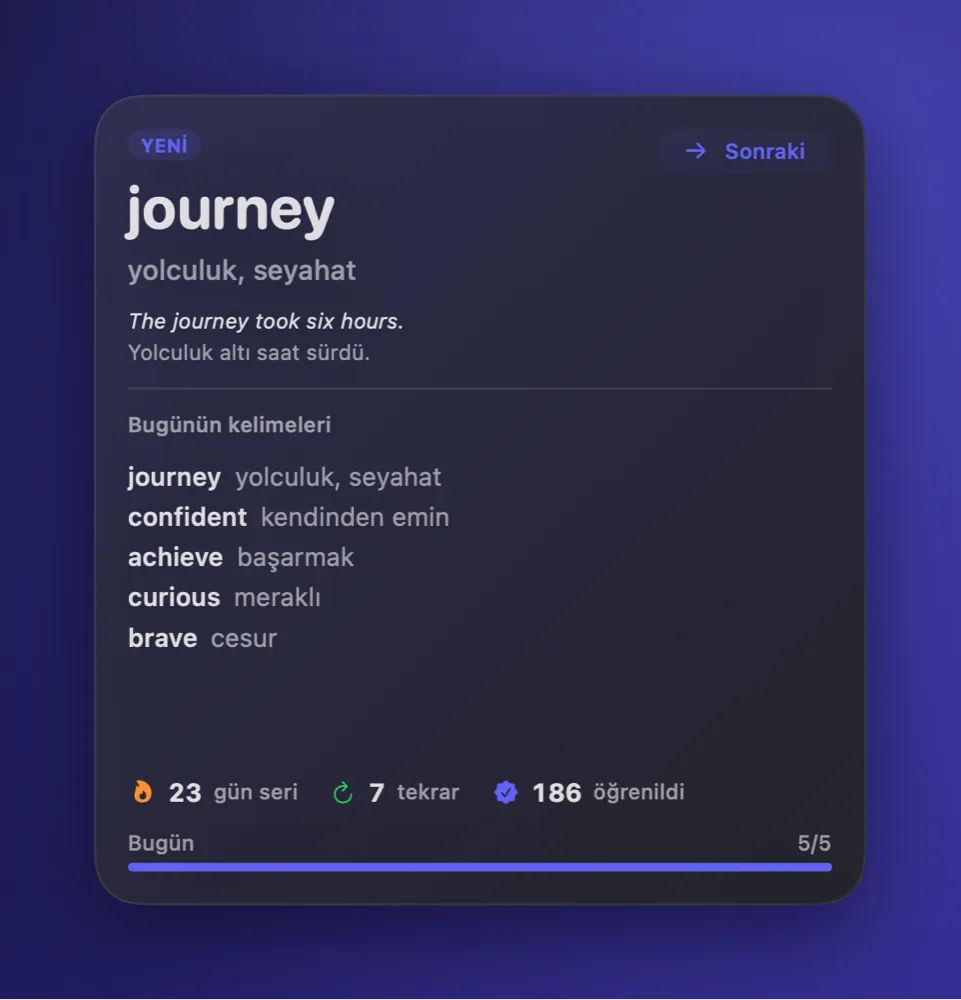
Today's word sits on your desktop with its Turkish meaning and an example sentence. It stays until a new word arrives, so every glance reinforces the same word.
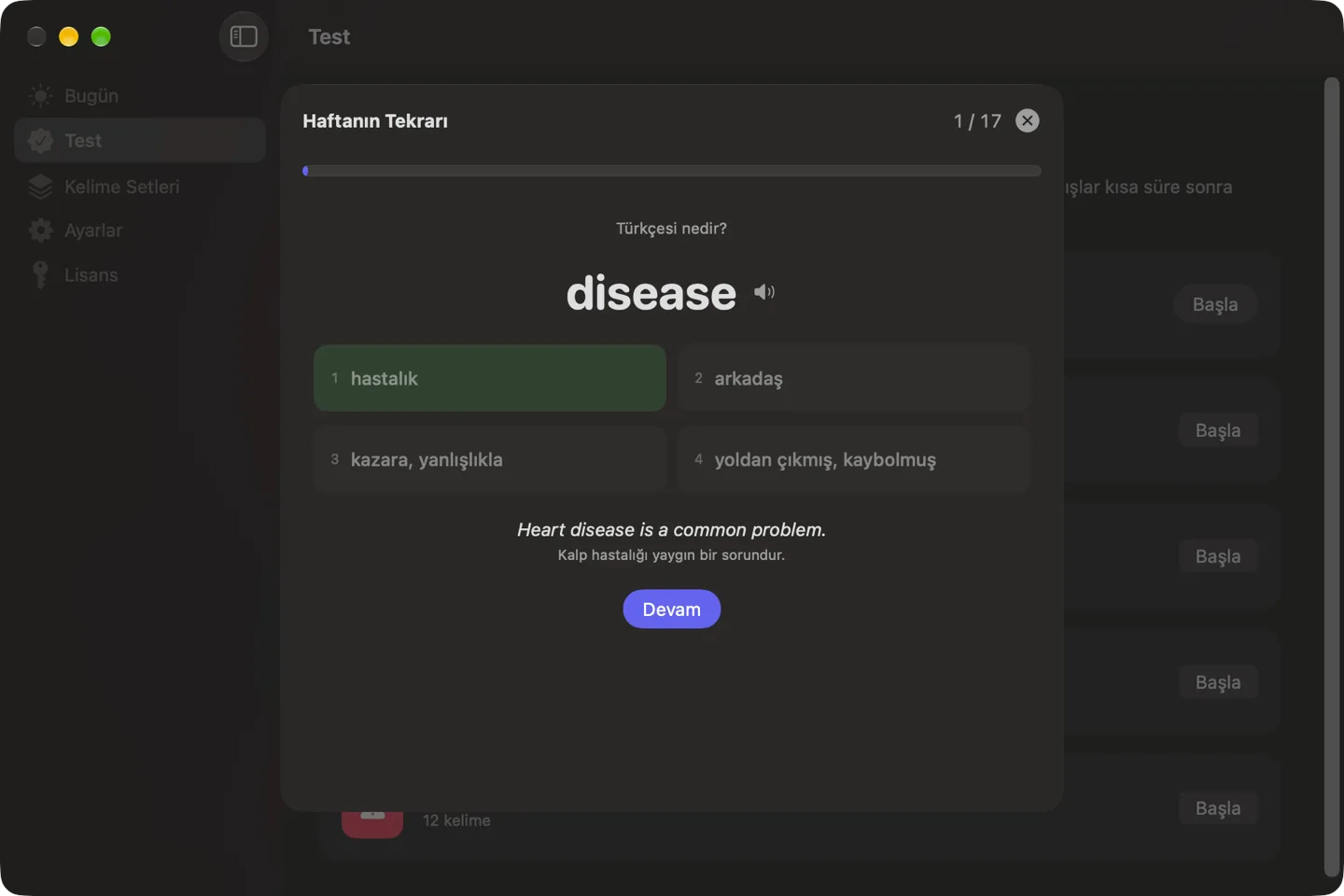
Every weekend Wordbar builds a short quiz from the words you struggled with and the words you learned that week, so nothing from the week slips away.
You don't have to remember to open an app and study. Wordbar brings the words to you at the right time.
Start with the most common English words. Each word has its Turkish meaning, an example sentence and pronunciation.
While you work, a small card slides in under the clock like a notification and asks if you remember a word. It takes a second.
Words you know come back less often, words you struggle with come back sooner. You review right before you'd forget, so words move into long-term memory.
Simple, fast and made for people who work at a computer. You learn without picking up your phone and losing focus.
On a Mac it sits in the menu bar, on Windows in the tray next to the clock. See today's progress, your streak and words due for review in one click.
Cards show up during your working hours at the interval you choose. Turn them off on weekends if you like.
Multiple-choice quizzes in both directions, English to Turkish and Turkish to English. Mistakes go back into review.
Business English, travel, IELTS or YDS: create your own set, pick an emoji and add your words.
Paste a word list as CSV or plain text. Hundreds of words land in your set in seconds.
Hear every word in a natural voice, or have cards read the word aloud automatically.
Because we forget to open them. Wordbar puts the words on the screen you already look at all day: your computer.
| Wordbar | Phone apps | |
|---|---|---|
| Do you have to remember to open it? | No, it comes to you | Yes |
| Learn while you work | Yes | No |
| Pricing | One-time | Monthly subscription |
| Ads | None | Often |
| Turkish meaning and example | Every word | Varies |
No subscription, no hidden fees. One-time payment, lifetime license.
Tax included · One-time payment · Lifetime license
Secure checkout via Polar. Your license key arrives by email. 14-day no-questions-asked refund.
Wordbar is built for Turkish speakers learning English. Every word comes with its Turkish meaning and a translated example sentence, and the app interface is in Turkish.
5 new English words a day by default, and they add up: 35 words after a week, 150 after a month. You can change the daily number in Settings.
No. Wordbar is a one-time purchase of $30 with a lifetime license and free updates.
One license works on one computer, Mac or Windows. If you switch computers, deactivate the license on the old one and activate it on the new one, even when moving between Mac and Windows. If you no longer have the old computer, remove it from the customer portal.
On a Mac, add the Wordbar widget to your desktop or Notification Center. On Windows, turn on the desktop card in Settings. Today's word stays there with its meaning and an example sentence until a new word arrives, along with your streak and reviews due.
A short vocabulary quiz that opens every weekend with up to 30 words you struggled with or learned that week. It's open from Friday until Sunday night, with a reminder on Friday and Sunday evening.
Turkish Windows doesn't come with an English voice. Wordbar notices this and installs the English voice in one click; just say "Yes" when Windows asks for permission. Your display language stays the same.
Yes. An internet connection is only needed to activate your license. Words, quizzes and cards all work offline; the license is re-checked quietly in the background now and then.
macOS 14 Sonoma or later on Apple Silicon and Intel Macs, and Windows 10 or 11 (64-bit).
Wordbar checks for new versions by itself. When an update is out, it lets you know and installs it in one click.
Sign in to the customer portal with the email you used at checkout. Your key is there.